Table of Contents
Receiving a PDF proof is an exciting milestone in any print project. It means your artwork has been prepared, your files are production-ready, and your project is almost ready for press.
It’s also your final opportunity to catch mistakes before they become expensive reprints.
Whether you’re producing business cards, brochures, annual reports, presentation folders, or product catalogs, learning how to properly review a PDF proof can save time, reduce costs, and help ensure your finished piece looks exactly as intended.
Why Proofing Matters
Once a project goes to press, changes become much more difficult—and often much more expensive—to make.
A PDF proof is your opportunity to confirm that everything is correct before production begins.
While your printer will review the file for technical issues, only you know the content well enough to verify names, phone numbers, pricing, branding, and messaging. A careful review ensures everyone is working from the same expectations and helps prevent costly revisions later.
PDF Proof Checklist Before Printing
Before approving your artwork, review each of the following areas carefully.
| Check | Why It Matters |
| Text accuracy | Prevents costly reprints and embarrassing errors |
| Images | Ensures graphics are sharp and correctly placed |
| Brand colors | Maintains consistency across printed materials |
| Bleed and margins | Prevents trimming problems |
| Page order | Avoids production delays |
| QR codes and barcodes | Confirms they function correctly |
| Contact information | Ensures customers can reach you |
Start with the Big Picture
Before focusing on individual details, take a moment to review the overall layout.
Ask yourself:
- Does the design look balanced?
- Is the overall appearance what you expected?
- Are the correct images being used?
- Does anything immediately look out of place?
Sometimes the most noticeable issues are the ones you spot within the first few seconds.
Read Every Word
One of the most common mistakes isn’t related to printing at all—it’s simply overlooked text.
Carefully review:
- Headlines
- Body copy
- Contact information
- URLs
- Email addresses
- Dates
- Pricing
- Product names
- Captions
Reading slowly is important.
Even better, have someone else review the PDF proof as well. Fresh eyes often catch mistakes that everyone else has missed.
Check Images Carefully
Look beyond whether the photos are attractive.
Ask yourself:
- Are the correct images being used?
- Do they appear sharp?
- Are any images cropped incorrectly?
- Are logos clean and readable?
- Do graphics align properly?
Small issues can become much more noticeable once they’re printed.
Verify Colors
While a PDF viewed on a monitor cannot perfectly represent printed color, it should still be reviewed for overall consistency.
Check that:
- Brand colors appear consistent throughout the document by sampling and comparing the CMYK values used in each element.
- No elements accidentally changed color.
- Text contrasts well against backgrounds.
- Important graphics stand out clearly.
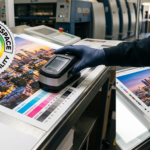
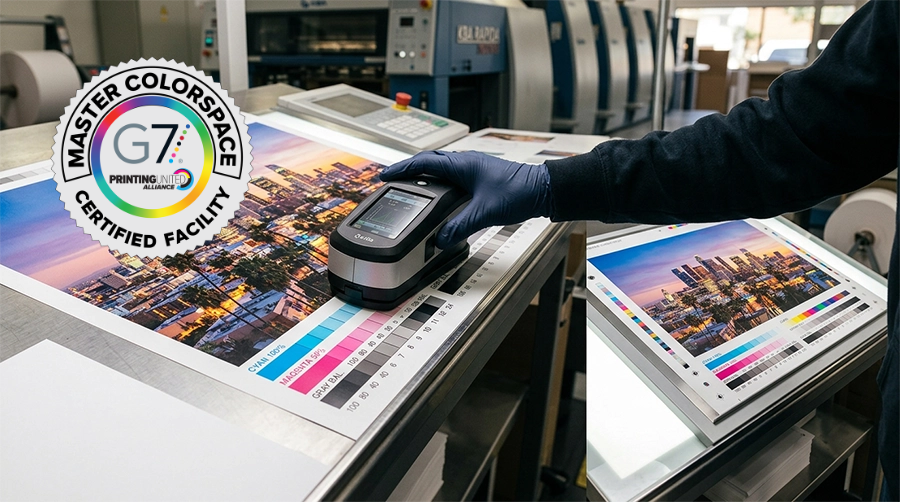
If precise color matching is critical, your printer may recommend a contract proof or a press check before production begins.
Adobe Acrobat Pro’s Print Production tools can also help identify spot colors, overprint settings, color separations, and other technical issues before files reach the press.
Review Page Order
For multi-page projects, verify that pages appear in the correct sequence.
Pay special attention to:
- Cover placement
- Blank pages
- Section dividers
- Page numbers
- Tables of contents
- Foldout panels
A quick page-by-page review can prevent significant production delays.
Don’t Forget the Details
Many production issues involve small details that are easy to overlook.
Double-check items such as:
- Bleed extending to all edges
- Safe margins around important content
- Consistent fonts
- Correct punctuation
- Alignment of design elements
- Barcode placement
- QR codes (test them before approving)
These details contribute significantly to the overall quality of the finished piece.
Common PDF Proof Mistakes
Many of the issues discovered during proof approval are simple—but expensive if they’re missed.
Some of the most common include:
- Missing bleed
- Low-resolution images
- Incorrect phone numbers
- Outdated information
- Cropped logos
- Misaligned graphics
- Incorrect page order
- Missing fonts
- Color changes after file conversion
Most of these issues can be corrected quickly before production begins, but only if they’re caught during the proofing stage.
View the PDF at Full Size
It’s tempting to review a proof while zoomed out so you can see the entire page.
Instead, spend time viewing the document at 100% magnification or larger.
Zooming in makes it much easier to identify:
- Small typography issues
- Hairline rules
- Image quality
- Fine details
- Alignment problems
Taking the time to inspect each page closely often reveals issues that aren’t visible at smaller magnifications.
Make One Final Review
Before approving your PDF proof, ask yourself a few final questions:
- Is all of the information correct?
- Have all requested revisions been made?
- Is the branding accurate?
- Does this represent how I want my organization to be seen?
If the answer is yes, you’re ready to move forward with confidence.
The Value of a Thorough Prepress Review
Proof approval is only one part of producing a successful print project.
A strong prepress process also includes checking file setup, image resolution, fonts, color settings, bleed, trapping, and other technical details that affect how the job will reproduce on press.
Identifying potential issues before production begins helps minimize surprises and contributes to a smoother printing process from start to finish.
Frequently Asked Questions
What is a PDF proof?
A PDF proof is a digital preview of your artwork that allows you to review text, images, layout, colors, and page order before your project is printed.
Should I review every page?
Yes. Even if only one page was edited, every page should be reviewed carefully. Small changes can unintentionally affect other parts of the document.
Can my printer catch spelling mistakes?
Your printer will typically check files for production-related issues, but content accuracy remains the customer’s responsibility. Always proofread names, phone numbers, pricing, and other important information carefully.
Should I review my PDF at 100%?
Absolutely. Viewing your PDF proof at full size makes it much easier to identify typography issues, alignment problems, and image quality concerns that may not be visible when zoomed out.
Final Thoughts
A PDF proof is more than just a final preview—it’s your last opportunity to ensure everything is exactly as it should be before production begins.
Taking a few extra minutes to review your proof carefully can help prevent costly revisions, production delays, and unnecessary reprints.
Whether you’re printing a simple brochure or a complex annual report, careful proof approval helps ensure your finished materials accurately represent your brand and meet expectations the first time they go to press.
The more attention given during the proofing stage, the more likely your finished printed piece will reflect the quality, professionalism, and attention to detail you intended from the very beginning.
For more information, visit our website and check out our other blogs.